




Your website is often the first impression customers have of your business. In the fast-paced digital marketplace, you wouldn’t invite a client into a physical office with jammed doors, confusing hallways, or signs that require a magnifying glass to read. Yet, thousands of businesses unintentionally do the exact equivalent online every single day.
To turn casual visitors into loyal customers, your website must be fast, mobile-friendly, secure, and easy to navigate.
Let’s dive into why adapting to the modern user isn’t just a technical upgrade—it’s a powerful marketing strategy that directly impacts your bottom line.
1. The Speed Threshold: Don’t Keep Success Waiting
Imagine walking up to a store, pulling the door handle, and having to wait eight seconds for it to open. You would likely walk away and find a competitor. Online behavior is no different.
Why Seconds Equal Revenue
Web performance isn’t just a technical metric; it’s the cornerstone of user experience. When a page takes too long to load, your bounce rate skyrockets.
- Slow = Lost Customers: A sluggish site frustrates users, signals a lack of professionalism, and causes shopping carts to be abandoned before the checkout page even loads.
- Fast = Engagement: When a site loads in under a second, the experience feels seamless. Users are more likely to browse multiple pages, read your content, and interact with your call-to-action buttons.
The Golden Rule of Web Timing: Aim for a loading time under 2 seconds. Every millisecond saved keeps a potential client from clicking the “Back” button.
2. The Universal Screen: The Power of Fluid Design
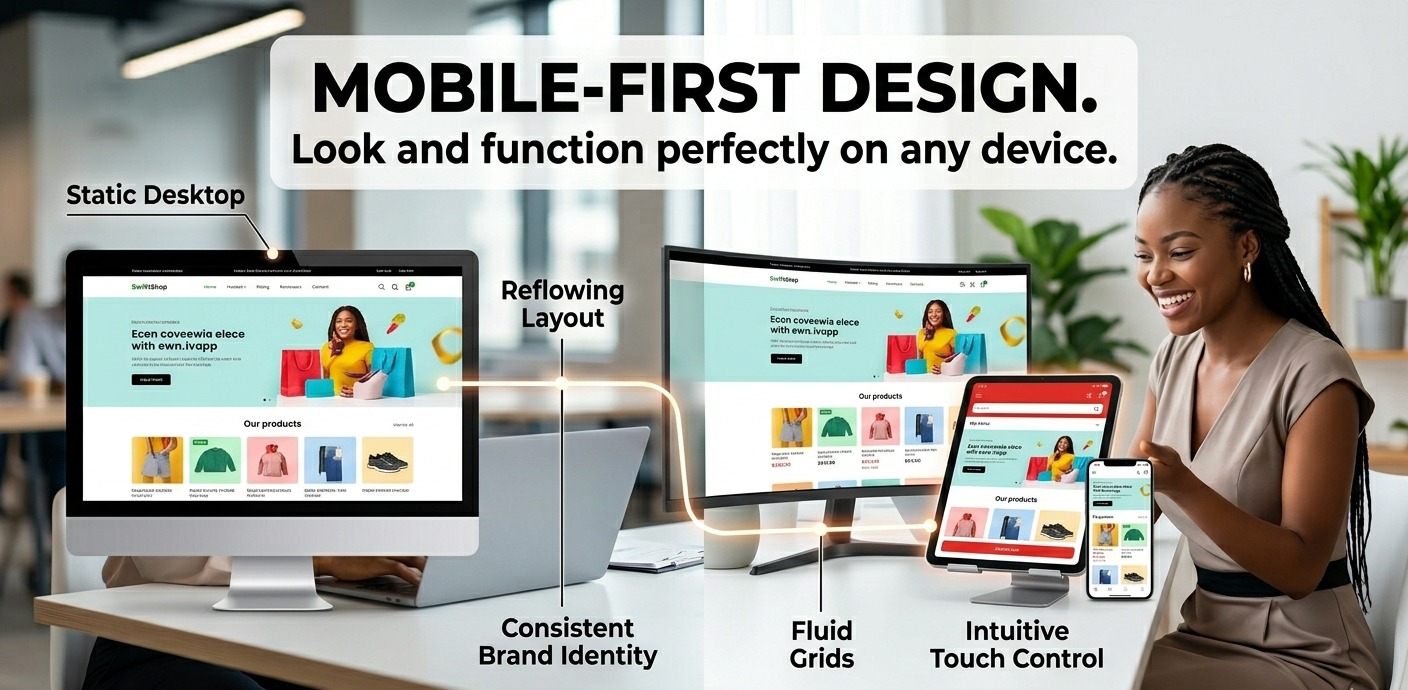
The days of designing exclusively for a standard desktop monitor are long gone. Welcome to the era of The Universal Screen.
[ Large Monitor ]  ───┐
                      ├─►  [ A Single, Responsive Design ]
[ Laptop/Tablet ]  ───┤         (Effortlessly reflowing to fit)
                      │
[ Smartphone ]     ───┘
A truly modern website moves away from static, rigid layouts and embraces a dynamic environment. A single design must effortlessly reflow across multiple screens—whether it is displayed on a massive ultra-wide office monitor, a tablet held in portrait mode during a commute, or a smartphone screen utilized on the go.
What is Responsive Web Design?
Responsive web design is an approach where a website’s layout changes automatically based on the screen size and orientation of the device being used. Instead of building separate websites for mobile users and desktop users, a single code base fluidly shifts its columns, images, text sizes, and navigation menus to offer an optimized view.
When your layout adapts gracefully, text remains legible without pinching or zooming, images don’t clip, and forms remain easy to fill out. It removes the friction between your business offering and the consumer.
3. Embracing a Mobile-First Design Philosophy
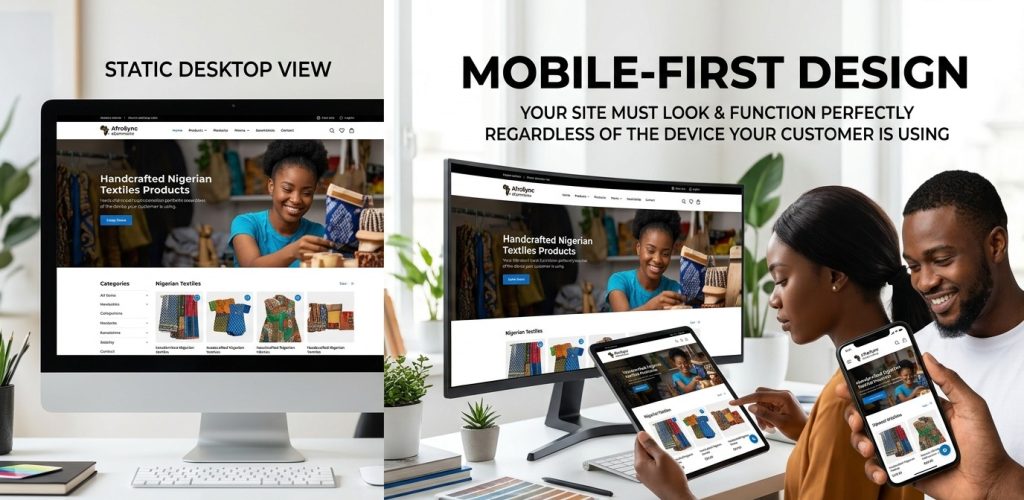
To master the universal screen, developers and designers use a strategy known as Mobile-First Design.
Historically, websites were built for large desktops first, and then elements were stripped away or shrunk down to force-fit onto smaller mobile screens. Mobile-First flips this script. It emphasizes designing the user experience for the smallest screen first, then progressively adding complexity as the screen size expands.
Why Mobile-First Matters For Your Business
- Where the Traffic Is: More than half of all global web traffic originates from mobile devices. If your mobile layout is merely an afterthought, you are neglecting the majority of your audience.
- Search Engine Visibility: Major search engines use mobile-first indexing. This means search algorithms primarily look at the mobile version of your website to determine how high you rank in search results. A poor mobile experience directly hurts your visibility online.
- Core Functionality: Designing for smaller screens forces you to prioritize what is truly important. It strips away unnecessary fluff, leaving a clean, highly efficient user journey that drives conversions.
4. The Trust Barrier: Build Confidence with Bulletproof Security
A beautiful, fast, and responsive design won’t save a website if your visitors feel unsafe the moment they arrive. Security is the foundation upon which digital customer relationships are built.
The Visual Cues of Safety
Modern web browsers are highly vocal about security. If your website lacks an SSL certificate, visitors are greeted with a glaring “Not Secure” warning in the address bar.
| Unsecured Site (http://) | Secured Site (https://) |
|---|---|
| Red warning flags & broken padlocks | Green status indicators & locked icons |
| High user anxiety and friction | Relaxed browsing and peace of mind |
| Increased abandonment rates | Increased form completions and sales |
| When a customer sees a secure connection icon, it builds immediate confidence. They know their passwords, personal data, and credit card information are encrypted and protected, making them far more willing to do business with you. |
5. The Path of Least Resistance: Navigate with Ease
A website should act as a guided tour, not a complicated maze. If users have to guess where to click to find your pricing, services, or contact details, they will leave.
Designing an Intuitive Journey
An effective navigation structure uses a clean, illustrative style to guide users down a clear path toward a specific goal.
- Keep it Structured: Group your pages logically. Use standard terms like “Services,” “About Us,” and “Contact” so users instantly understand where they are going.
- The 3-Click Rule: A user should be able to find any piece of crucial information on your website within three clicks from the homepage.
- Clear Call-to-Actions (CTAs): Tell your users exactly what to do next. Buttons like “Get a Free Quote,” “Book a Consultation,” or “Shop Now” should stand out visually and be easily clickable on both desktop and mobile layouts.
By reducing the mental effort required to explore your site, you create a smooth highway that guides visitors directly toward a successful conversion.
interactive Checklist: How Does Your Website Score?
Take a moment to evaluate your current digital presence. Read through these questions and see how many boxes you can check off:
- [ ] The Speed Test: Does your website fully load within 2 to 3 seconds on a standard mobile data connection?
- [ ] The Responsiveness Test: Open your website on your phone. Can you read all the text easily without needing to pinch, zoom, or scroll horizontally?
- [ ] The Security Test: Look at your URL. Does it start with https:// and display a closed padlock icon?
- [ ] The Navigation Test: Can a brand-new visitor find your phone number or primary service within 5 seconds of landing on your homepage?
If you found yourself hesitation on two or more of these checks, your website might actively be driving potential revenue straight to your competitors.
Partner with Larnton Smart Solutions
Building a website that masterfully balances speed, fluid responsiveness, ironclad security, and intuitive navigation requires a blend of technical expertise and strategic design. That is exactly what we do best.
At Larnton Smart Solutions, we specialize in transforming digital storefronts into high-converting assets. We don’t just build static pages; we craft dynamic web experiences optimized for The Universal Screen using cutting-edge, mobile-first frameworks. Whether you need a brand-new website or a comprehensive overhaul of your current platform, our team ensures your business makes a powerful, lasting first impression.
Ready to optimize your digital front door for maximum growth?
Visit Larnton.com.ng today to schedule a consultation with our web design experts!